Which journal layout suits how you work
A journal has four parts you can choose one at a time: the year, the month, the week and the day. Each has its own set of layouts in Astera.
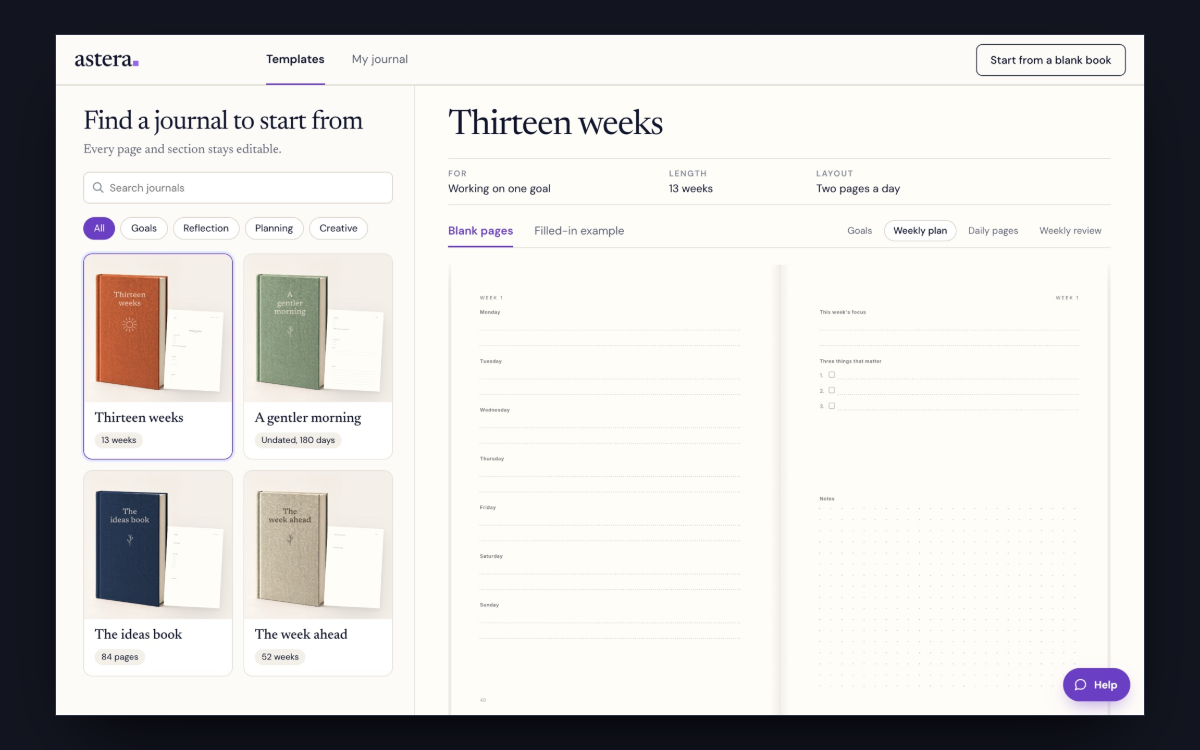
Every journal in a shop is a set of choices somebody made for you. They chose how the year opens, whether there’s a month grid, what a week looks like and what’s on the page you use every day.
Start with the day page
You open the day page every morning. Decide what you want it to do: hold a plan, ask you something, or leave you room to write.
- Plan against reality. A day scored against the plan made for it, hours down one side.
- Five minutes, twice. Gratitude and an intention in the morning, and what went well at night.
- One thing, timed. A day built round one task, timed, with the rest kept under it.
- A day of volume. Room for a lot of tasks: the three that matter, everything else, the hours, and four daily rituals to tick.
- How you are, and what you did. A day with the mood work and the task work on it, morning and night.
- Work kept apart. One framed goal, the hours down one side, and separate lists for work and home.
- The split day. A day with the hours down one half and what you will do on the other.
- The day and the night. The goal and the plan on one page, and the evening’s good things, struggles and fixes on the facing page.
- Bring your own. A day of furniture and no prompts: a date, a short list and a grid.
- The wide margin. A wide empty margin with the day's number set large in it, one question, and writing lines that rag away from the edge.
- One question. A single prompt at the top and the rest of the page free for writing.
- The quiet hours. The date set large, the hours spaced wide and three short lines in the margin.
The week
A week page is for planning ahead or for looking back. A layout that does both takes a spread across two pages.
- Planned and reviewed. Objectives with the time each takes, the week as boxes, then how it went.
- With the hours. Half hours across seven columns, morning to night.
- Down one page. Seven bands, no spread.
- The quiet week. One question set large, seven small headings, and a lot of air.
The month
A month grid suits you if you’re counting something, or if your dates get fixed weeks ahead.
- On a spread. The grid facing what the month is for and what to remember.
- A month of habits. Seven habits across all thirty one days, and what held.
The year
The year takes one or two pages at the front of the book.
- The whole year. All twelve months across two facing pages.
- The year in weeks. Fifty two boxes, one a week.
- The year ahead. A month to a line, for the dates that are already fixed.
- One question. What you want the year to have been about, and room to answer.
Question pages, if you want them
These sit apart from the daily page. You get a run of questions with room to answer, at the front of the book or the back.
- One question to a page. The question set large and ruled lines to the foot.
- Two to a page. For a book that wants to get through more of them.
- The way a Chorus book does it. A running head, an ornament or a photograph, the question in italic, and who answered.
How to choose a journal layout
- Decide how long you’ll spend on it each dayA line, five minutes or fifteen. That rules out most of the day pages above.
- Decide whether you’re working towards somethingA goal with a deadline wants a day page with something to score and a week that looks back. With no particular goal, pick a quieter page with more open paper.
- Look at the page itselfPick the one you’d want to write on every day.
- Leave out what you won’t useYou can switch any part off. A book with no month grid is shorter.
Every Astera journal is undated. You write the date at the top of each day.
How long it runs
You set the number of days in the editor. A shorter book is a good first one, because you find out which pages you use before you commit to a year.
If none of them is right
Pick the closest one and change it in the editor. The weekly and monthly pages have Change layout, which shows every design as a picture. Try one on the open week or month, then put it in every week or month at once.
Start your journal
You read the whole book at its printed size before you order.
Create your journalQuestions
What is the difference between a daily and a weekly planner?
A daily page gives you room to think about the day you’re in. A weekly spread shows you the whole week and how the days sit against each other. People who plan around meetings tend to want weekly, and people working on a goal tend to want daily. You can have both, and a week on a spread adds two pages every seven days.
Where do the monthly pages go?
In a thirteen week book, a monthly page sits before weeks 1, 5 and 9.
Can I mix layouts from different journals?
Yes. You can take the daily page from one template and the weekly page from another, and put them in one book.