What twelve best-selling journals put on a daily page
We went through twelve best-selling journals and wrote down every field on their daily pages. Twenty-six fields turned up, and twenty-two of them were in three books or more.
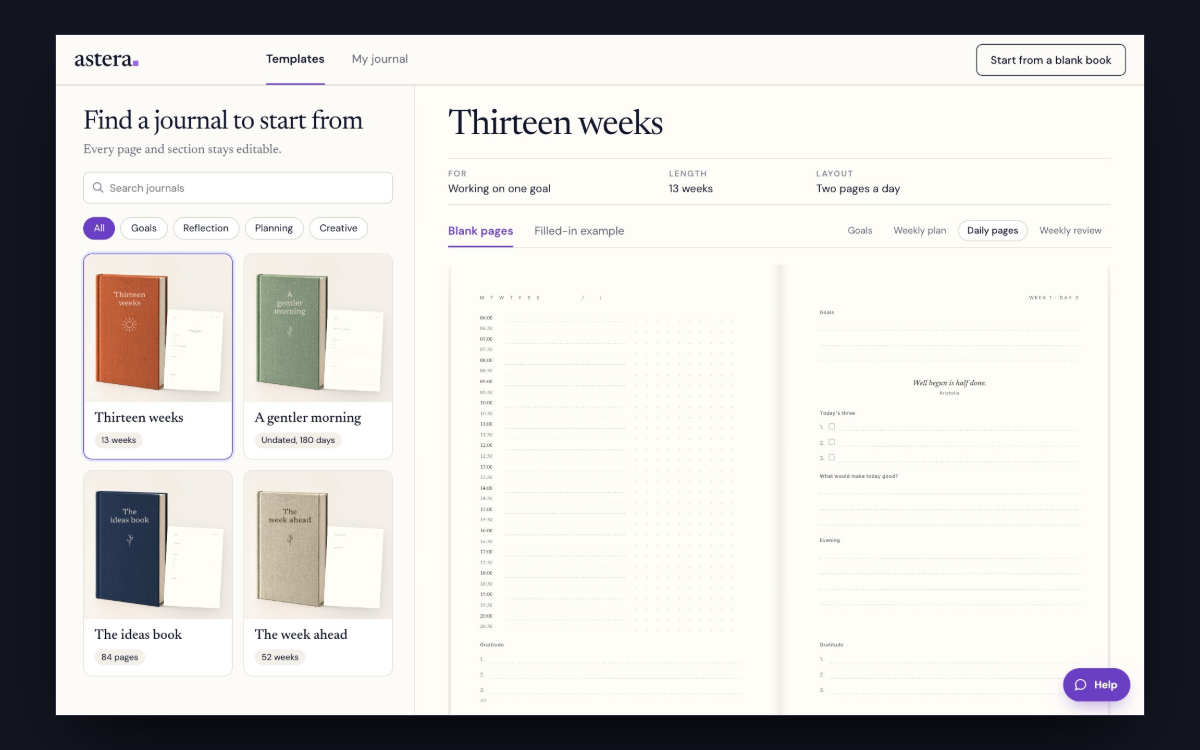
What almost every daily page has
- A line at the top to write the date.
- A short list of what matters most today, usually three things.
- A longer to-do list, usually with tick boxes.
- An hour column or schedule, usually covering the working day.
- A place at the end to say how the day went.
What about half of them have
- A gratitude line, or three.
- A habit row, ticked across the week.
- A mood or energy score, usually one to five.
- A quote at the top of the page.
- One open space with no label.
Two fields that often go wrong
The habit tracker
A monthly habit grid printed on a daily page gives you sixty tick boxes on a page you fill in once. On a daily page a habit works as a single row. The grid goes on the month.
The hour column
Books that print midnight to midnight give a third of the column to hours nobody writes in. The ones that sell run from about six in the morning to nine at night, in half hours. The column is narrow and the other fields sit beside it.
Six of the twelve put a quote at the top of the daily page. A thirteen week book needs ninety-one quotes if none of them repeats.
How to build your own daily page
Start with the five from the first list. Then add two at most from the second list, and only ones you know you’ll use.
Then choose the words
"The three that matter today" and "Top three priorities" are the same field. Pick the wording you’d want to read first thing in the morning. In Astera you click any heading or question on the page and type your own.
Start your journal
You read the whole book at its printed size before you order.
Create your journalQuestions
Can I build this daily page in Astera?
Yes. Start from a template and change its daily pages to match. A change can go on one day or on every day in the book.
How do I add a field to a daily page?
Use the + between two sections and pick a question, a quote, a schedule, notes or a photo. It goes in at that spot.
Can I change the type size and margins?
Yes. Advanced layout sets type size, alignment, spacing, columns and margins, inside the limits the printer sets.