Why your planner is in a drawer by March
Six faults in a planner’s layout send it to the drawer, from sections you never fill in to a system built for somebody else’s week.
A planner that ends up in a drawer usually had something wrong with its pages. Here are six faults we see again and again, and what to do about each.
Six reasons a planner stops getting used
It had sections you never filled in
A mood tracker, a water row, a gratitude box, a habit grid. Each one suits somebody. A page with three empty boxes on it every day is hard to keep opening.
It ran out of room where you needed it
You got three lines for the thing you write a paragraph about, and half a page for the thing you write in two words.
It was dated and you missed a fortnight
Fourteen empty dates sit between you and today’s page.
It asked the same question every day
A daily gratitude prompt works well for a while. After a couple of months the answers get shorter and start to repeat.
It was too big to carry or too nice to write in
A book that doesn’t fit your everyday bag stays at home. A beautiful one can make you wait for your neatest handwriting before you write in it.
It was somebody else’s system
Most planners are built around a method their author uses. The author’s week might be meetings and deadlines while yours is school runs and shifts.
How to stick with a planner
- Take a pen to the sections you never fill in, and keep using the rest of the page.
- Before you buy the next one, write down what went wrong with this one, one sentence for each fault.
- Choose the next planner against that list, whatever the cover looks like.
Why we built Astera
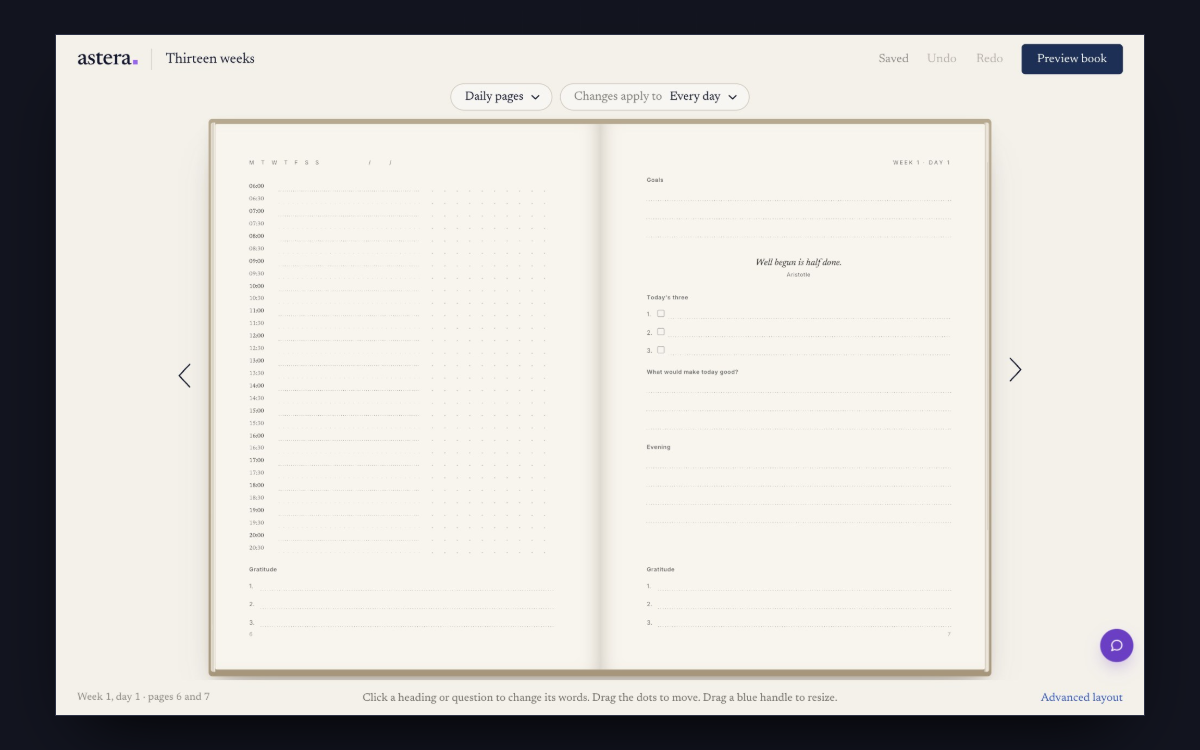
Astera lets you change the pages that went wrong in your last planner. You can take out a section, give a question more lines, or swap the weekly page for another design before anything is printed.
Start your journal
You read the whole book at its printed size before you order.
Create your journalQuestions
Should I design my own planner?
Yes, if you’ve used a few and can name what went wrong with them. That list tells you which sections to take out and where to add room.
How do I give a section more room in Astera?
Drag its lower edge down. If the page runs out of space, the editor shows you another arrangement, and nothing changes until you choose it.
Can I add photos to a planner?
Yes. The + between sections adds a photo at that spot. There’s also a Vision page at the front where you place and move your own photos.